Download do Facebook

Facebook anuncia download de dados e sistema de grupos

Agora é possível fazer backup das informações e fotos que o usuário compartilhou no Facebook e usar novos recursos para a interação com grupos de amigos.

Comentários


Em uma conferência na sua sede em Palo Alto, Califórnia, o Facebook anunciou o lançamento de duas funcionalidades importantes e muito úteis. A primeira delas é a possibilidade de fazer o download de informações e conteúdos que o usuário possa ter enviado para o perfil dele na rede social.

Fotografias, vídeos, mensagens postadas no mural. Tudo isso será salvo em um arquivo ZIP, que pode mais tarde ser gravado em um DVD ou armazenado em um servidor online, como uma cópia de segurança dos seus dados.

O arquivo poderá ser requisitado através da opção “Configurações da conta” e, depois que o backup dos dados estiver pronto, o usuário receberá um email com o link para baixar o arquivo.

Outra novidade na rede social da Microsoft é a atualização do Facebook Groups, um espaço compartilhado onde os membros podem participar de atividades como bate-papo, listas de email e compartilhamento de arquivos.

Esta nova versão foi construída do zero e, de acordo com Mark Zuckerberg, o fundador e CEO da rede, ela é um produto completamente novo e só compartilha do mesmo nome com a versão anterior.

Para facilitar o acesso, os grupos mais visitados pelo usuário ficarão disponíveis no painel lateral esquerdo do site. Nas palavras de Zuckerberg, o novo Groups é “tão simples que todo mundo vai querer interagir através dele”.

Criar grupos no Facebook

How To Find and Create Facebook Groups

Jens P. Berget

Today, I’ll be describing (short) why you should be using Facebook groups and how you can find interesting groups, and how to create your own group on Facebook.

First of all, it’s a very easy way to do marketing with Facebook groups, it’s completely free, and it’s marketing gone viral. That’s three really powerful reasons why you should start using Facebook groups today.

Tips: Read my review of Facebook Ads Guide

The only reason why groups become popular, and they can go from zero members to thousands in a few hours, is content. Your group needs to be something special, and in order to become popular, well, like I just said, it’s all about content marketing. Without good reliable content, you can almost forget about creating a buzz.

A Facebook group is where you create a community, this is where you connect with people and a place where you communicate with people about a specific topic. It’s a discussion, a two-way conversation, unlike Facebook pages (I will write about Facebook pages in a few days and explain this with more details). With Facebook groups, you can send emails to the members of your group, this way it becomes powerful targeted marketing.

How to find Facebook groups

Just click on “Groups” in the right sidebar just below your applications. When you do, you’ll see the most recent groups that your friends have joined, and you’ll see the recently updated groups that you have joined.

You can also search for groups by name, and browse groups by category. You should have no problem finding groups on Facebook.

Now, when you have found an interesting group. Just click on the image of the group, or the name, and you’ll end up “inside” the group. There you’ll see a detailed description of the group, and everything that’s going on, like discussions, photos, or whatever.

When you are inside, and you find the content interesting, it’s time to join the group.

Just click on the link below the group image “join this group”, and few seconds later, you will be a member.

How to create your own group

After you have clicked on groups, as described below the first image at the top, you’ll see the icon to the right, just at the top of the “your recently updated groups”.

After you click it, you will have to describe your new group with more details.

There are two important things to notice when you are creating your new group. The group name is important and the description of your group is very important. Those two, can be the reason why you’ll go from zero to hero, when it comes to Facebook groups. Even though you have the perfect name, and the perfect description, it’s still content that will be the major issue if your group will become popular or not.

When selecting group type, you have ten categories to choose between:

  • Business
  • Common interest
  • Entertainment & arts
  • Geography
  • Internet & technology
  • Just for fun
  • Music
  • Organizations
  • Sports & recreation
  • Student groups

You have to choose the right category for your group, because this is how people will find your group when browsing.

This is how you find groups and how to create your own groups. In a few days or so, I will write a more detailed post about why and how you should be using Facebook groups for marketing purposes.

If you liked this article, you may also like:
  1. How To Create Your Own Facebook Domain
  2. Using The Facebook Profile Box
  3. How to find Facebook Pages ID
  4. Facebook Search Engine Optimization
  5. I would really like this feature on Facebook

DropMocks – Partilhar imagens via Web

DropMocks – Partilhar imagens via Web

Criado por Pedro Simões em 30 de Setembro de 2010 | 3 comentários

Existem serviços na Internet que lamentamos não terem surgido há mais tempo. A sua utilidade e usabilidade deixam muitos outros a anos-luz de distância. Na maioria dos casos a razão das suas características diferenciadoras devem-se à altura em que aparecem e às tecnologias que estão disponíveis nesses momentos.

O DropMocks é um excelente exemplo de um desses serviços, e a razão da sua qualidade deve-se apenas há existência das novidades que o HTML5 veio trazer. Este serviço permite que façam a partilha de imagens de forma simples e sem complicações no carregamento de imagens.

A simplicidade de utilização deste serviço é tão grande que qualquer pessoa, com qualquer capacidade e conhecimentos de informática e de utilização da Internet, o consegue usar. Basta seguir as instruções que são apresentadas na página e em menos de um minuto tem um álbum de imagens pronto a partilhar. Sem complicações ou chatices e sem requerer o registo ou a instalação de qualquer cliente no PC.

Basta então acederem à página principal do serviço e arrastarem as imagens para o separador ou janela do browser. São então direccionados para o endereço que vão poder partilhar com os vossos amigos ou familiares e ai podem afinar o álbum.

Podem atribuir-lhe um nome e adicionar ou remover imagens, e tudo através de uma interface muito limpa e simples, como podem ver pelas imagens.

O facto de não haver necessidade de registo simplifica em muito o processo pois não requer que o utilizador tenha de memorizar mais uma conta num novo serviço. Mas se pretenderem fazer uma gestão mais activa das vossas galerias podem autenticar-se recorrendo às vossas credenciais do Gmail.

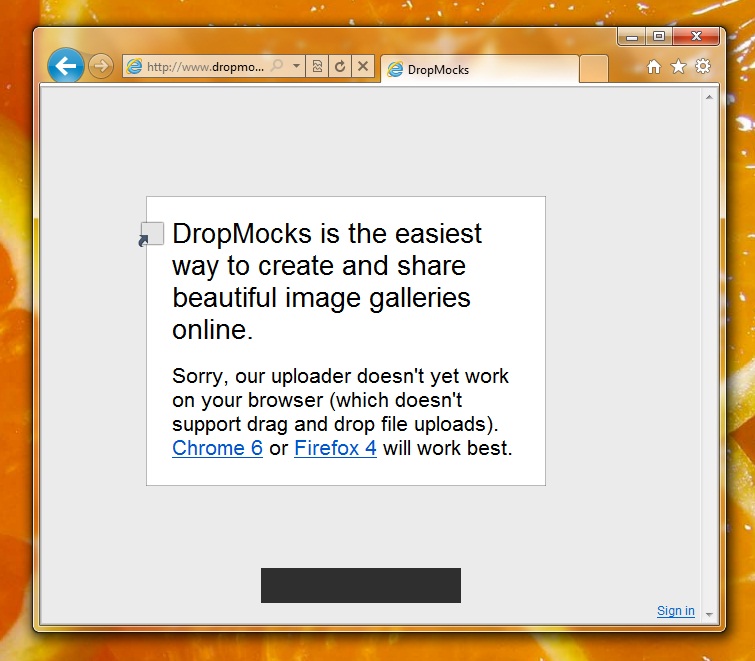
Infelizmente para alguns utilizadores este serviço apenas é suportado por alguns dos browsers mais recentes, e desde que estes tenham suporte para drag and drop file uploads. Se usam o Chrome ou a versão 4 do Firefox então estão habilitados a utilizar este serviço sem problemas. De notar que esta limitação é apenas para a criação de novas galerias. A visualização destas pode ser feita em qualquer browser.

Uma outra limitação é o facto de não ser possível enviar para este serviço imagens com tamanho superior a 900KB. Mas uma vez que a ideia é partilhar imagens para serem visualizadas no browser, este tamanho é mais do que suficiente para garantir qualidade nestas.

Fica então apresentado mais um grande serviço, que apesar de recente tem uma potencialidade enorme. O DropMocks vai com certeza facilitar-vos a vida quando pretenderem partilhar galerias ou imagens, sem terem de recorrer a serviços que têm requisitos mais complicados. Podem ainda ensinar qualquer pessoa a utiliza-lo, tal a facilidade com que o conseguem fazer.

Homepage: DropMocks

Dica: Recupere as suas passwords através do Bookmarks

Dica: Recupere as suas passwords de forma simples

Criado por Pedro Simões em 20 de Setembro de 2010 | 17 comentários

Uma das perguntas que me fazem de forma recorrente é como recuperar as passwords que estão memorizadas nos browsers. A funcionalidade de memorização que é disponibilizada aos utilizadores é sem dúvida muito útil e permite que não tenham de se preocupar em escrever todos os dias, e várias vezes, os nomes de utilizador e as passwords dos mais variados serviços. Basta carregar no botão de acesso pois os dados estão já previamente preenchidos.

O problema maior é quando pretendem aceder a esses mesmos serviços noutro browser ou noutro PC e já não se recordam por, habitualmente, não os escreverem. É possível aceder a esses dados através das configurações dos browsers, mas nem sempre é óbvio ou fácil esse caminho. Por forma a contornar esse problema vamos apresentar um script de java que permite aceder a esses dados de forma simples e com apenas o acesso a um marcador do vosso browser.

Imaginem a chatice que é quererem aceder ao vosso email (Gmail, Hotmail, Yhaoo Mail, etc) e perceberem que não se lembram da password. O processo de recuperação dessas passwords pode ser chato e nem sempre bem sucedido. No entanto, sabem que no outro PC que habitualmente utilizam essa password está memorizada, mas que vão ter de chatear alguem para vos explicar como aceder e ela pois não sabem como o fazer.

Passam a poder contar com um link que vos vai ajudar sempre que precisem de retirar as passwords que estão já preenchidas nas páginas web. E basta memorizarem um marcador no vosso browser.

Uma vez que é usado javacript e este vai olhar para os campos do form HTML presente na página, podem usá-lo em qualquer browser ou sistema operativo. Não têm de se preocupar com compatibilidade ou com locais de funcionamento.

Esse código, que apresentamos abaixo é extremamente útil e deve ser colocado num marcador. Sempre que o precisarem de usar, basta acederem à página do serviço e verificarem que o campo Password está preenchido. Depois disso basta então chamarem esse favorito.

javascript:(
  function()
  {
    var s,F,j,f,i; s = ""; F = document.forms;
    for(j=0; j<F.length; ++j)
    {
      f = F[j];
      for (i=0; i<f.length; ++i)
      {
        if (f[i].type.toLowerCase() == "password") s += f[i].value + "\n";
       }
    }
    if (s) alert("Passwords nos formulários desta página: \n\n" + s);
    else alert("Não existem passwords nesta página.");
  }
)
();

Sempre que se depararem com uma página com a password já preenchida chamam o marcador, ou copiam o código apresentado para a barra de endereço, e será apresentada uma caixa de diálogo com o texto “Passwords nos formulários desta página:” e a password abaixo. Se existirem vários campos de password nessa página web eles serão apresentados em linhas consecutivas.

Aproveitem e espalhem esta pequena pérola pelos vossos amigos. Mais dia, menos dia vão precisar dela. Ou vão estar na posição de quem vai ter de desenrascar o outro utilizador ou então vão ser vocês o enrascado.

Fica então aqui o link que podem adicionar aos vossos favoritos: Mostrar password’s.

Memorizem-no no vosso browser e utilizem-no sempre que precisarem de se lembrar da password que está atrás dos asteriscos ou dos pontos no campo Password.

Bookmark: Mostrar password’s

How to backup and archive all data from Facebook

What if your Facebook account was suddenly disabled? This has happened to hundreds of users. Are you thinking of closing your Facebook account but don’t want to lose all your data?

If you are like me, you want to download and backup your Facebook data just in case. Here is a simple way to backup and archive your Facebook information using the ArchiveFacebook Firefox extension.

Archive Facebook is an experimental Firefox extension that allows you to backup Facebook data on your local hard drive. You can browse your archive as if it were your local copy of Facebook. Facebook does not let you upload this data in any way, so you cannot use it for restoring anything in case you delete your data or account in Facebook.

Archive Facebook backs up the following from your Facebook profile:

  • Photos
  • Messages
  • Activity Stream
  • Friends List
  • Notes
  • Events
  • Groups
  • Info

Note that your friends activity or data is not included in your archive. Also, if you prefer using a browser other than Firefox, you can use this extension by installing Firefox just to backup Facebook data, and then uninstall Firefox. Your backup will be usable from other browsers as well (see last section below).

Disable or Uninstall Scrapbook

Archive Facebook causes instability if the Scrapbook Firefox extension is installed. You should not run both of them simultaneously, so if you have installed Scrapbook, disable or uninstall it.

Get a Facebook Username

As of version 1.0, Archive Facebook works only if you have a vanity URL for your Facebook profile. If you don’t already have one, get a Facebook username for your account here. Once you can access your Facebook via http://www.facebook.com/your_name you are all set.

Install the Extension

To get started, install the Archive Facebook extension from the Mozilla Firefox Addons gallery. This is an experimental extension, so you will need to enable the option to allow you to download and install it.

ArchiveFacebook Addon

After restarting Firefox, you should see a new menu item “ArchiveFB” in Firefox between the Bookmarks and the Tools menu.

backup facebook data

Backup and Archive

Login to your Facebook account. You should be able to browse in Facebook before you start the archive process.

Go to ArchiveFB > Show in Sidebar and open the sidebar.

While you are seeing Facebook open in your browser, select ArchiveFB > Archive. You will automatically get redirected to your Facebook profile page and see the following dialog box:

how to backup facebook data

Select OK to start the backup process. Cancel will not start any operation. Once you start the archive process, ArchiveFB begins to retrieve your Facebook stream in reverse chronological order. You will see a series of dialog boxes displaying how far back it has progressed in the retrieval process.

backup facebook photos

If you select Cancel on any of these dialog boxes, your archive will extend back in time only till that date and time stamp.

Once the retrieval process is complete, ArchiveFB will start downloading your Facebook data to create your backup archive.

The process may take several hours depending upon the speed of your connection and how long and extensively you’ve used Facebook.

backup facebook

Be patient, but if you find that the process is stuck on one particular item in the list, click Pause and then Start to resume. I found that this trick worked when ArchiveFB seemed to get stuck on a few items in the list.

Sidebar

Once the backup and archive operation is complete, you can see a new entry in the sidebar “Facebook | username date” with your username and the current date. This indicates that the operation was successful.

Browsing Your Archive

Just like any data backup software, you can have multiple sets of your Facebook archive made at different points in time, which will all appear in your ArchiveFB sidebar. Clicking on any of the entries in the sidebar browses that archive set, starting at your profile page.

Observe the browser address bar URLs when browsing your Facebook profile archive. It will show “file://” instead of “http://” indicating that you are browsing a local copy on your hard disk. You should be able to view your photos, friends list, notes, etc. from within your local copy.

You will see an Annotation Bar at the bottom of the browser. It has highlighting and annotation tools with which you can make notes about any of the items in your Facebook archive.

For Advanced Users and Other Browsers

ArchiveFB stores the copy of your Facebook data within your Firefox profile by default. You will find an ArchiveFB folder created inside your Firefox profile folder, where the archives created by this extension are stored.

What if you normally use a different browser? In the ArchiveFB sidebar, go to Tools > Options. In the Options dialog, go to the Organize tab. In the Location to Store Data, you can specify a different location for your archive.

Options Organize

From any archive set, you can open the “index.html” file to open and browse your Facebook archive data from within any browser.

Before you run off to backup your Facebook data, you might also want to check out our popular Facebook Hack Codes and Privacy Tips!

Were you able to backup your Facebook data? Feel free to share your experience in the comments!

Como funciona a pesquisa Google?

Como funciona a pesquisa Google?

Criado por Pedro Simões em 28 de Agosto de 2010 | 10 comentários

A Internet para muitos dos seus utilizadores não é mais do que uma grande caixa negra. Apenas esperam que ao colocar um endereço de uma página num browser lhes seja retornado o conteúdo desta e que tenham acesso à informação, ou que quando colocam um termo num motor de pesquisa lhes sejam apresentadas as páginas onde é feita referência a esse termo.

Mas para que entendam um pouco mais do que se passa por de trás do pano, hoje vamos apresentar um vídeo da Google, que explica de forma simples como se trata todo o processo de obtenção de resultados de uma pesquisa.

Como puderam ver, o simples processo de pesquisa de um termo ou de uma informação obriga a que seja recolhida muita informação por essa Internet fora. São milhões de páginas que as aranhas da Google recolhem diariamente, para depois serem processadas e arquivadas, apenas aguardando que sejam necessárias.

Mesmo o processo de pesquisa desses dados pelas muitas máquinas de armazenamento de informação é algo de monstruoso. Existem naturalmente uma grande indexação e optimização da forma como os resultados são alcançados, mas não deixa de ser um processo que consome muitos recursos.

Mas e o que seria da Internet se não existissem motores de busca? Como seria o nosso dia-a-dia no acesso à informação? Tal como muitos serviços são considerados peças fundamentais na Internet, também estes motores de indexação e acesso à de informação o devem ser.

Teríamos de ter enormes listas de favoritos e a partilha de informação teria de ser feita de forma muito mais colaborativa. Aliás, por muito que se puxe pela cabeça não se deve conseguir conceber um modelo que não passe pela utilização de crawlers e de spiders para “leitura” e recolha de informação da Internet.

A Google, como dona do maior motor de busca da Internet soube explorar bem o seu negócio. Por muitos serviços que façam nascer e crescer, o seu negócio principal é a informação e todos os mecanismos que podem ser utilizados com base nela. O exemplo da publicidade, apresentado no vídeo, é excelente. Fazem uso da informação que recolhem e da necessidade que os internautas têm dela para exporem anúncios relacionados com as pesquisas efectuadas. É este modelo que alimenta e gera fundos para sustentar todos os serviços.

Muitas vozes se levantam contra o alimentar dessa enorme fonte de informação que está a ser construída. Mas e essas vozes têm fundamento? Não está a Google apenas interessada em ganhar dinheiro com algo que a Internet tem disponível? Não me parece errado pois o retorno é óbvio. A facilidade com que escrevemos um termo e obtemos milhares de páginas de resultados tem um preço. Se esse preço for apenas os anúncios que são mostrados, então parece-me que, provavelmente, ainda estamos a dever algo à Google.

Estará a Google errada ao fazer render desta forma todo o trabalho que desenvolve na recolha da informação? É esta a pergunta que vos deixamos neste Sábado.

Como funciona a pesquisa Google? | Peopleware

Como remover contas das redes sociais

Smashing Magazine – we smash you with the information that will make your life easier. really.


We all have an increasing number of sites and online services we’re members of, and sometimes it all gets a little overwhelming. At times, we just need to delete our memberships to some sites, either in an effort to simplify our lives or just because we’ve grown tired of a particular site or service.

What we often don’t realize when signing up for all these accounts, though, is how difficult it can be to permanently delete our accounts when we’ve had enough. Some require complicated, multi-step processes that can stretch over the course of days (or weeks). Others take less time, but still require multiple steps by the user.

Below we’ll take a look at the account deletion processes of popular websites and services, and how easy or difficult they make it. Then we’ll discuss why sites make things so complicated, and some things to consider when designing your own deletion policies.

[Offtopic: by the way, did you know that there is a Smashing eBook Series? Book #1 is Professional Web Design, 242 pages for just $9,90.]

Facebook

Difficulty (on a scale of 1-5, 5 being hardest): 5

Deleting a Facebook account is a bit more complicated than many other services. There are two options for getting rid of your FB account, one that’s permanent and complete, and one that lets you change your mind later.

If you just want to shut down your account for a little while, with the option to reactivate it later, you can deactivate your account. This is simple: just go into your account settings and click on the “deactivate account” link. This immediately makes your account invisible to everyone else on Facebook. If you decide at a later date that you want to reactivate your account, it’s as simple as reactivating.

If you’re looking for something a little more permanent, though, you’ll need to submit a request to Facebook. The tricky thing here, though, is that they don’t immediately delete your account, and if at any time before it’s permanently deleted you log in or otherwise interact with Facebook, your deletion request will be canceled. For that reason, it’s a good idea to go around to any computers or devices (like your mobile phone) that you access your account through and log out (deleting saved passwords is also a good idea to prevent an accidental login).

Then you can use the form found here to request deletion. Remember not to log into your account at any point after that. There doesn’t seem to be any official notice on how long it takes, but unofficial reports say 14 days. To be on the safe side, you may want to wait a month or more before attempting to login to confirm your account has been deleted.

More information on deleting your Facebook account can be found in their FAQs.

Twitter

Difficulty: 2

In contrast to deleting a Facebook account, deleting a Twitter account is relatively easy. All you need to do is go into your account settings and click on the “Deactivate my account” link at the bottom of the page. This is a permanent deactivation, though it can take up to a month for your account and information to disappear entirely from their system.

One word of warning, though: if you think you might want to use your email address, username or phone number on Twitter in the future, make sure that you change them prior to deactivating your account. Whether these things are permanently blocked from Twitter in the future or only temporarily isn’t specified, but it’s a good idea to change them anyway.

You can find more information on deleting your Twitter account here.

MySpace

Difficulty: 4

Deleting a MySpace account is a bit convoluted, but doable. You’ll need to login to your account and then go to the “My Account” link, and then select “Account”. Scroll until you see the “Account Cancellation” section and click on “Cancel Account”. This is where it gets a little bit complicated. MySpace will then send you an email with instructions for completing your account cancellation. Except the email doesn’t come right away, and can take a couple of days to show up. Once you get the email, it asks you for confirmation again that you want to delete your account, but then deletes it immediately.

All of the above works just fine, as long as you still have access to the email address you signed up with. But as so often happens when we finally decide to clean up our online accounts, some of them may be associated with outdated email or other accounts. In that case, there are a few alternatives listed by MySpace. The first one is to edit your profile and replace everything in your “About Me” box with “REMOVE PROFILE” and then contact MySpace and tell them to delete your profile (including your friend ID or URL). If that doesn’t work (say, if you can’t login to your account at all), you can just contact MySpace and ask them to delete the profile. How quickly they actually do so isn’t specified.

Official instructions for deleting your account can be found here.

LinkedIn

Difficulty: 3

LinkedIn makes it quite easy to delete your account, once you know where to look. Click on “Settings” in the upper-right of the screen once you’re logged into your account, and then select “Close Your Account” under “Personal Information”. You’ll then be prompted for the reason you’re closing your account, and once confirmed, your account will be deleted.

As far as social networking sites go, LinkedIn probably has the most straight-forward account closure process. More details can be found here.

Google

Difficulty: 3

Considering how pervasive Google is in our digital existence, you’d think deleting your Google account might be incredibly complicated. After all, many of us use dozens of Google services, and you’d think each one would require separate deletion.

For the most part, deleting your entire Google account is easy. There are only a few services that require special consideration. Of course, with the exception of a couple of services, there’s no way to delete individual services completely from your Google account. For example, with Analytics, you can delete each individual site you’re tracking, but not the Analytics account itself.

To delete your main Google account, login through the Google Accounts homepage. Then click on “Edit” next to “My Products”. From that page, you can delete certain services (Orkut and Web History), as well as delete your entire account by clicking on “Clear account and delete all services and info associated with it”. This will take you to a form where you’ll need to confirm each of the services you’ll be deleting. If you linked your Google account to an existing YouTube account, you’ll need to delete that account separately.

Then you’ll need to confirm your password, and check that you do, indeed, want to close your account, and that you know you’re still responsible for any pending financial transactions associated with your account. Then confirm, and your account will be deleted.

Certain services, including Google Alerts, Groups, and Docs, aren’t automatically deleted in this way. To unsubscribe from alerts, you’ll need to refer back to your original Alerts email (or from any Alerts email you’ve since received) and click the ‘unsubscribe’-link there. For Groups, you’ll also need to unsubscribe from each group.

Google Docs leaves shared documents and presentations available to collaborators and viewers. Spreadsheets, on the other hand, aren’t available to collaborators or viewers once you’ve deleted your account (so have a collaborator create a copy of the spreadsheet prior to deleting your account). With shared documents and presentations, you’ll want to reassign ownership to another user before deleting your account.

Full details on deleting your Google account can be found on the Google’s Help page “Deleting: Your Google Account”.

Ebay

Difficulty: 3

Ebay makes it fairly easy to close your account, though they do impose a waiting period. All you need to do is make sure your account has a zero balance, and then click the link to request your account be closed on this page.

One caveat: if you think you might want to use your email address for another Ebay account in the future, make sure that you change it prior to deleting your account. Email addresses and user IDs cannot be reused in the future. Once the waiting period has ended, your account will be deleted and your feedback ratings and other information will no longer be visible. Whether that information is permanently deleted or stored on a server somewhere ad infinitum isn’t specified.

Wikipedia

Difficulty: Impossible

Wikipedia is one of the few websites out there that doesn’t allow you to delete your account. That’s right, once you have a Wikipedia account, you have it forever. There is some hope, though, if you really don’t want to be associated with it any longer.

In most cases, accounts can be renamed and your user page can be deleted, along with (in some cases) your user talk pages. While this doesn’t erase your tracks entirely, it does effectively let you vanish from the site.

Wikipedia’s reasoning behind this is that all contributions have to be assigned to someone. They can’t have anonymous or orphaned contributions, or it would potentially ruin the crowdsourced and open nature of the site.

Flickr/Yahoo!

Difficulty: 2

Deleting your account on Flickr is relatively easy. Once you’ve logged into your account, go to your account settings and click on the “Personal Information” tab. From there, click the link “Delete your Flickr account”. A warning screen will come up that informs you that the deletion is permanent, and that all of your photos and videos will be deleted.

Deleting your entire Yahoo! account is a separate step. Log into your account and then go to the account deletion page. This page explains what happens when you delete your account. User information is kept on Yahoo!’s active servers for 90 days after the deletion has been requested, and may persist in backups beyond that. Once you’ve read the information on the page, you have to enter your password, a captcha code and then confirm that you want to delete your account. One thing to remember: if you’ve signed up for any Yahoo! premium services, you may still be billed for those after your account has been terminated, so make sure you cancel those premium services before you delete your account.

Windows Live

Difficulty: 2

Closing your Windows Live account is actually surprisingly easy. There’s only a problem if you’re using that account to access other websites. If so, you’ll need to go to each website where you’re using your Windows Live login credentials and delete your accounts there prior to deleting the Live account itself. If you don’t, you won’t be able to delete those accounts (or do anything with them) once your Live ID is deactivated.

Now, once you’ve verified that all your accounts linked to your Live ID have been closed, all you need to do is go to your Windows Live account and click on the “Close your account” link at the bottom under “Other Options”. This will bring up a page that tells you what happens when your account is closed. This includes that your registered information will be permanently deleted, that some information might not be deleted (refer to their privacy statement for details on that), and that if you have associated children’s accounts with that Live ID, they will also be deactivated. To finish the deletion process, you have to type in your password and click “Yes”.

There are reports that at this point you may be told there is a Microsoft email account associated with your account, and that your account cannot be closed. From there, you just need to click on “Close your Microsoft account” and then “Close my account”.

Stumbleupon

Difficulty: 1

Stumbleupon is one of the easiest web services to delete your account from. Just go to their delete account page, enter your user ID/nickname and password, and click on “Delete Account”. That’s it! Account deletions are permanent, so make sure you really want to delete your account before clicking that “Delete Account” button.

WordPress.com

Difficulty: Impossible

WordPress.com doesn’t allow you to delete your account. Instead, they recommend you simply leave the account inactive. If you’re worried about the information you’ve uploaded to your WordPress.com account, remember you can always delete the information contained in the account (or replace it with false information).

Start by deleting your blogs. To do that, go to Tools and then “Delete Site”. There’s an email confirmation step required. You may want to run an export of your site’s content first, just so you have a backup in case you ever want to repost or reuse any of it (or just for posterity). After that, you can replace your email address and other identifying information with alternative information. More information can be found on this page and this one.

Amazon

Difficulty: 3

Closing your Amazon account requires you to contact their customer service department to request the account to be closed. This can only be done if you have no pending transactions, so make sure you’ve either received or cancelled all recent orders.

The email to customer service has to be sent from the email-address associated with your account. Other than that, they don’t give any indication of either how long it might take to delete the account or if there are additional confirmation steps involved.

YouTube

Difficulty: 3

If your YouTube account was set up with your Google account login credentials (as in, you used your Google account to sign up for your YouTube account), it’s automatically deleted when you delete your Google account. But if you set it up separately from your Google account (or linked the accounts together after they were both set up, or if you want to keep your Google account), you’ll need to delete it separately. One thing to note is that deleting your account does not delete your videos or channel, just your profile information. You’ll need to delete those prior to deleting your account.

The deletion process is pretty straightforward, though it does have a few more steps than are really necessary. Log in to your account and then go to “Manage” from the drop-down menu under your user name. Then click on “Manage Account” and then “Delete Account”. It will then ask you why you want to delete your account. Fill that in and then click the “Delete Account” button. YouTube then brings up a window that reminds you that your videos will not be deleted, only your profile. If you’ve deleted your videos and channel (or opted not to), then click on “Delete Account” one more time. You then have to confirm one more time. After that, try logging into your account again to make sure it’s been deleted.

PayPal

Difficulty: 1

Closing a PayPal account is pretty simple. Just log in to your account, and then click on your “Profile” link. From there, click on the “Close Account” link in the “Account Information” column. You’ll be prompted to continue from there and then you’ll need to click the “Close Account” button.

You’ll want to make sure your account is current and that there are no pending transactions, and of course you’ll want to transfer the positive balance to your bank account. There are reports that if you delete your PayPal account, it’s more difficult to get another one in the future (as in, they require more information of you). Whether this is true or not is unconfirmed.

Why’s It So Complicated?

In the case of every service mentioned above, properly deleting your account is a multi-step process. Some sites are even more difficult. It’s not a technical issue, obviously, as programming a functionality to let users delete their own accounts is something most competent developers could do before breakfast.

So why do some sites make it so complicated? The answer is user retention. They don’t want you to delete your account. The hope is that if you have the account, you’ll use it at least occasionally, if for no other reason than curiosity about things you might have missed when you weren’t logged in. As soon as you delete that account, though, it’s an out-of-site-out-of-mind kind of thing. You’re less likely to sign up for another account if you decided you could live without it once.

Account Deletion Remorse

This is one very valid reason to make it more complicated to delete an account: deletion remorse. It’s not uncommon for a user to have a bad day, get angry about something going on within a social network, and decide they’ve had enough and are getting rid of their account.

Of course, what often happens is that a day or two later they realize how much they loved using that social network, and they wish they could get their account back. With account deletion policies like those of Facebook (on which I’ve witnessed such account deletion remorse first-hand), users can just reactivate their account, and have all of their old friends and information right there. On sites with more immediate deletion policies, that user would likely have to start over entirely.

Should You Use Complicated Account Deletion Processes?

Considering how many major sites out there have complex methods for deleting accounts, should this be industry standard? Should all sites employ these methods to help retain users who can’t be bothered to follow a multi-step process? Probably not.

There are a few things to consider when deciding whether you want to make it complicated for a user to delete their account. First of all, if your deletion process is going to be handled by customer service representatives, do you have the manpower to do so? If you suddenly have a thousand members who want to delete their accounts, do you have the resources to handle that?

Do you expect users to regularly delete their accounts just to sign up for a new one a week later? If it’s complicated to delete their account, they may never sign up for another one, not wanting to go through the process again.

Inactive accounts can also eat up your system resources. Server space can become an issue, especially on very popular sites (or sites with very low budgets). Plus, it makes maintenance and backups more intensive, since there’s more data to deal with. Making it easier for people to delete their accounts if they’re not using your service can help relieve that load.

The level of complexity for the account deletion process is something that needs to be considered on a site-by-site basis. In general, the easier the process is, the better; however, it is important to make sure that users may be having a bad day and make a mistake by closing an account and so they will be happy about getting the account back a couple of days after it was closed.

Making the process way too difficult and time-consuming will turn annoyed customers in angry ones, the ones who will be very likely to spread negative word out there, while annoyed users would probably just close the account and move on, and even maybe come back to the service later. In either case, one way to minimize your worries about it, though, is to keep your users happy and conduct your site’s business in a transparent and open way.

(vf)

Live Mesh Beta

What’s inside Live Mesh?

Some features are not available for all countries/regions.


Devices page

Manage your mesh here. Click Add Device to download and install the Live Mesh software on your computer, so you can automatically sync your folders with other computers in your mesh and with your Live Desktop. You can also connect to a remote computer or your Live Desktop from here. To access the page, click Devices in your Live Desktop header bar.

Live Desktop

Your Windows PC on the web—complete with 5 GB of free storage space—where you can see all your synchronized folders in one place. It lives on the web, which means that even if you‘re not at one of your computers, you can still access and work with your folders from any computer that‘s connected to the Internet.

Mesh bar

Appears whenever you open a folder in your mesh, helping you manage your files and the members you invite to share them. Use the mesh bar to:

  • Invite or manage members
  • See who has access to the folder
  • See news related to the folder
  • Post messages to the folder
  • Chat with members using Windows Live Messenger*
  • Change synchronization settings for the folder

* Windows-only feature

Back to Top

Notifier

Looking for a snapshot of your mesh? The notifier lets you see news about what’s happening in your mesh and quickly check the status of all your synchronized folders and devices. It stays out of your way while you work, but is always available by clicking the Live Mesh icon in the notification area of your Windows taskbar, the menu bar of your Mac, or the taskbar of your Live Desktop.

Back to Top

News

Available from the notifier, the mesh bar, and your Live Desktop, Live Mesh News gives you a continuous feed detailing activities in your mesh. It lets you know when a file in a shared folder has been changed, when someone joins or leaves a folder you’re sharing, when messages are posted to folders, and more.

Back to Top

Live Mesh Remote Desktop*

Transport yourself to another computer in your mesh. Live Mesh Remote Desktop opens a window into your remote computer and gives you access to even those folders you haven’t synchronized. You can also use any programs on your remote computer, even if you don’t have them installed on your local computer.

Copy and paste files between your remote computer and your local computer, and even connect from almost any web browser.

* Windows-only feature

Back to Top

Mac*

Add a Mac to your mesh. Sync and share folders between your PC and your Mac. Or your friend’s Mac. Or between two Macs. Live Mesh gives you cross-platform functionality, so you can maximize your mesh.

* Some Live Mesh features not yet available for the Mac

Back to Top

Mobile*

Take your mesh with you wherever you go. From any mobile phone with web access, go to mesh.com to work with your synchronized folders, upload photos to share with others, read news about your mesh, and more.

* Some mobile phones not compatible with certain Live Mesh features

Back to Top

Are you a developer?

The mesh is more than what you see today. Be among the first to see what’s under the hood and use our SDK to build mesh applications. Learn more about the Developer Program.

YouTube video duration, Word forms & mouse wheel on browser

Ora cá vão três dicas porreiras de Informática:

YouTube

1º – certas vezes podemos querer enviar um link de um vídeo do YouTube a alguém. Mas apenas queremos que esse alguém veja o que acontece aos 18 segundos de vídeo. Ora basta copiar o endereço do vídeo do YouTube e acrescentar ao link, os minutos pretendidos.

Exemplo:

http://www.youtube.com/watch?v=7WtkD9kXZJQ&feature=grec&playnext_from=TL&videos=YASKIVC9aQM&playnext=1#t=00m18s

Acabou-se a seca da pessoa ter de esperar que o vídeo chegue à parte desejada!

Word Forms

2º – Querem fazer uma selecção à medida no Word? Experimente clicar na tecla Alt e seleccionar com o rato o que deseja. Já agora, se pretende elaborar formulários no Word, visite o seguinte link: http://office.microsoft.com/en-us/word/HA100307461033.aspx#1

Mouse Wheel

3º – Sabiam que se clicarmos naquela rodinha do rato, sobre uma hiperligação, ela abrirá num novo separador? Ora mais uma utilidade sem ser o scroll para a famosa rodinha do rato!

Future of the Web

The future of the Web is everywhere. The future of the Web is not at your desk. It’s not necessarily in your pocket, either. It’s everywhere. With each new technological innovation, we continue to become more and more immersed in the Web, connecting the ever-growing layer of information in the virtual world to the real one around us. But rather than get starry-eyed with utopian wonder about this bright future ahead, we should soberly anticipate the massive amount of planning and design work it will require of designers, developers and others.

The gap between technological innovation and its integration in our daily lives is shrinking at a rate much faster than we can keep pace with—consider the number of unique Web applications you signed up for in the past year alone. This has resulted in a very fragmented experience of the Web. While running several different browsers, with all sorts of plug-ins, you might also be running multiple standalone applications to manage feeds, social media accounts and music playlists.

Even though we may be adept at switching from one tab or window to another, we should be working towards a more holistic Web experience, one that seamlessly integrates all of the functionality we need in the simplest and most contextual way. With this in mind, let’s review four trends that designers and developers would be wise to observe and integrate into their work so as to pave the way for a more holistic Web browsing experience:

  1. The browser as operating system,
  2. Functionally-limited mobile applications,
  3. Web-enhanced devices,
  4. Personalization.

[By the way: The network tab (on the top of the page) is updated several times a day. It features manually selected articles from the best web design blogs!]

1. The Browser As Operating System

Thanks to the massive growth of Web productivity applications, creative tools and entertainment options, we are spending more time in the browser than ever before. The more time we spend there, the less we make use of the many tools in the larger operating system that actually runs the browser. As a result, we’re beginning to expect the same high level of reliability and sophistication in our Web experience that we get from our operating system.

For the most part, our expectations have been met by such innovations as Google’s Gmail, Talk, Calendar and Docs applications, which all offer varying degrees of integration with one another, and online image editing tools like Picnik and Adobe’s online version of Photoshop. And those expectations will continue to be met by upcoming releases, such as the Chrome operating system—we’re already thinking of our browsers as operating systems. Doing everything on the Web was once a pipe dream, but now it’s a reality.

Ubiquity

The one limitation of Web browsers that becomes more and more obvious as we make greater use of applications in the cloud is the lack of usable connections between open tabs. Most users have grown accustomed to keeping many tabs open, switching back and forth rapidly between Gmail, Google Calendar, Google Docs and various social media tools. But this switching from tab to tab is indicative of broken connections between applications that really ought to be integrated.

Mozilla is attempting to functionally connect tools that we use in the browser in a more intuitive and rich way with Ubiquity. While it’s definitely a step in the right direction, the command-line approach may be a barrier to entry for those unable to let go of the mouse. In the screenshot below, you can see how Ubiquity allows you to quickly map a location shown on a Web page without having to open Google Maps in another tab. This is one example of integrated functionality without which you would be required to copy and paste text from one tab to another. Ubiquity’s core capability, which is creating a holistic browsing experience by understanding basic commands and executing them using appropriate Web applications, is certainly the direction in which the browser is heading.

This approach, wedded to voice-recognition software, may be how we all navigate the Web in the next decade, or sooner: hands-free.

Tracemonkey and Ogg

Meanwhile, smaller, quieter releases have been paving the way to holistic browsing. This past summer, Firefox released an update to its software that includes a brand new JavaScript engine called TraceMonkey. This engine delivers a significant boost in speed and image-editing functionality, as well as the ability to play videos without third-party software or codecs.

Aside from the speed advances, which are always welcome, the image and video capabilities are perfect examples of how the browser is encroaching on the operating system’s territory. Being able to edit images in the browser could replace the need for local image-editing software on your machine, and potentially for separate applications such as Picnik. At this point, it’s not certain how sophisticated this functionality can be, and so designers and ordinary users will probably continue to run local copies of Photoshop for some time to come.

The new video functionality, which relies on an open-source codec called Ogg, opens up many possibilities, the first one being for developers who do not want to license codecs. Currently, developers are required to license a codec if they want their videos to be playable in proprietary software such as Adobe Flash. Ogg allows video to be played back in Firefox itself.

What excites many, though, is that the new version of Firefox enables interactivity between multiple applications on the same page. One potential application of this technology, as illustrated in the image above, is allowing users to click objects in a video to get additional information about them while the video is playing.

2. Functionally-Limited Mobile Applications

So far, our look at a holistic Web experience has been limited to the traditional browser. But we’re also interacting with the Web more and more on mobile devices. Right now, casual surfing on a mobile device is not a very sophisticated experiences and therefore probably not the main draw for users. The combination of small screens, inconsistent input options, slow connections and lack of content optimized for mobile browsers makes this a pretty clumsy, unpredictable and frustrating experience, especially if you’re not on an iPhone.

However, applications written specifically for mobile environments and that deal with particular, limited sets of data—such as Google’s mobile apps, device-specific applications for Twitter and Facebook and the millions of applications in the iPhone App Store—look more like the future of mobile Web use. Because the mobile browsing experience is in its infancy, here is some advice on designing mobile experiences: rather than squeezing full-sized Web applications (i.e. ones optimized for desktops and laptops) into the pocket, designers and developers should become proficient at identifying and executing limited functionality sets for mobile applications.

Amazon Mobile

A great example of a functionally-limited mobile application is Amazon’s interface for the iPhone (screenshot above). Amazon has reduced the massive scale of its website to the most essential functions: search, shopping cart and lists. And it has optimized the layout specifically for the iPhone’s smaller screen.

Facebook for iPhone

Facebook continues to improve its mobile version. The latest version includes a simplified landing screen, with an icon for every major function of the website in order of priority of use. While information has been reduced and segmented, the scope of the website has not been significantly altered. Each new update brings the app closer to replicating the full experience in a way that feels quite natural.

Gmail for iPhone

Finally, Gmail’s iPhone application is also impressive. Google has introduced a floating bar to the interface that allows users to batch process emails, so that they don’t have to open each email in order to deal with it.

3. Web-Enhanced Devices

Mobile devices will proliferate faster than anything the computer industry has seen before, thereby exploding entry points to the Web. But the Web will vastly expand not solely through personal mobile devices but through completely new Web-enhanced interfaces in transportation vehicles, homes, clothing and other products.

In some cases, Web enhancement may lend itself to marketing initiatives and advertising; in other cases, connecting certain devices to the Web will make them more useful and efficient. Here are three examples of Web-enhanced products or services that we may all be using in the coming years:

Web-Enhanced Grocery Shopping

Web-connected grocery store “VIP” cards may track customer spending as they do today: every time you scan your customer card, your purchases are added to a massive database that grocery stores use to guide their stocking choices. In exchange for your data, the stores offer you discounts on selected products. Soon with Web-enhanced shopping, stores will be able to offer you specific promotions based on your particular purchasing history, and in real time (as illustrated above). This will give shoppers more incentive to sign up for VIP programs and give retailers more flexibility and variety with discounts, sales and other promotions.

Web-Enhanced Utilities

One example of a Web-enhanced device we may all see in our homes soon enough is a smart thermostat (illustrated above), which will allow users not only to monitor their power usage using Google PowerMeter but to see their current charges when it matters to them (e.g. when they’re turning up the heater, not sitting in front of a computer).

Web-Enhanced Personal Banking

Another useful Web enhancement would be a display of your current bank account balance directly on your debit or credit card (as shown above). This data would, of course, be protected and displayed only after you clear a biometric security system that reads your fingerprint directly on the card. Admittedly, this idea is rife with privacy and security implications, but something like this will nevertheless likely exist in the not-too-distant future.

4. Personalization

Thanks to the rapid adoption of social networking websites, people have become comfortable with more personalized experiences online. Being greeted by name and offered content or search results based on their browsing history not only is common now but makes the Web more appealing to many. The next step is to increase the user’s control of their personal information and to offer more tools that deliver new information tailored to them.

Centralized Profiles

If you’re like most people, you probably maintain somewhere between two to six active profiles on various social networks. Each profile contains a set of information about you, and the overlap varies. You probably have unique usernames and passwords for each one, too, though using a single sign-on service to gain access to multiple accounts is becoming more common. But why shouldn’t the information you submit to these accounts follow the same approach? In the coming years, what you tell people about yourself online will be more and more under your control. This process starts with centralizing your data in one profile, which will then share bits of it with other profiles. This way, if your information changes, you’ll have to update your profile only once.

Data Ownership

The question of who owns the data that you share online is fuzzy. In many cases, it even remains unaddressed. However, as privacy settings on social networks become more and more complex, users are becoming increasingly concerned about data ownership. In particular, the question of who owns the images, video and messages created by users becomes significant when a user wants to remove their profile. To put it in perspective, Royal Pingdom, in its Internet 2009 in Numbers report, found that 2.5 billion photos were uploaded to Facebook each month in 2009! The more this number grows, the more users will be concerned about what happens to the content they transfer from their machines to servers in the cloud.

While it may seem like a step backward, a movement to restore user data storage to personal machines, which would then intelligently share that data with various social networks and other websites, will likely spring up in response to growing privacy concerns. A system like this would allow individuals to assign meta data to files on their computers, such as video clips and photos; this meta data would specify the files’ availability to social network profiles and other websites. Rather than uploading a copy of an image from your computer to Flickr, you would give Flickr access to certain files that remain on your machine. Organizations such as the Data Portability Project are introducing this kind of thinking accross the Web today.

Recommendation Engines

Search engines—and the whole concept of search itself—will remain in flux as personalization becomes more commonplace. Currently, the major search engines are adapting to this by offering different takes on personalized search results, based on user-specific browsing history. If you are signed in to your Google account and search for a pizza parlor, you will more likely see local results. With its social search experiment, Google also hopes to leverage your social network connections to deliver results from people you already know. Rounding those out with real-time search results gives users a more personal search experience that is a much more realistic representation of the rapid proliferation of new information on the Web. And because the results are filtered based on your behavior and preferences, the search engine will continue to “learn” more about you in order to provide the most useful information.

Another new search engine is attempting to get to the heart of personalized results. Hunch provides customized recommendations of information based on users’ answers to a set of questions for each query. The more you use it, the better the engine gets at recommending information. As long as you maintain a profile with Hunch, you will get increasingly satisfactory answers to general questions like, “Where should I go on vacation?”

The trend of personalization will have significant impact on the way individual websites and applications are designed. Today, consumer websites routinely alter their landing pages based on the location of the user. Tomorrow, websites might do similar interface customizations for individual users. Designers and developers will need to plan for such visual and structural versatility to stay on the cutting edge.

Conclusion

Each of these trends—browser operating systems, mobile, Web-enhanced devices and personalization—provides a foundation for the other. First, traditional browsers will continue to expand their functional scope to meet our demands, ideally in a way that simplifies the user experience rather than just by adding more tabs or toolbars. But our demands will ultimately drive mobile innovation as well, expanding points of entry to the Web far beyond our desks.

As people grow accustomed to being able to access the Web from anywhere, the next logical step will be to create unique entry points, specific to context and purpose and crafted especially for us. This final stage will be truly transformative, imbuing our daily lives with a rich layer of uniquely targeted information that will make us more efficient and effective in what we do. But reaching every step along the way will fully depend on the vision of designers and developers to refine existing interfaces and create completely new ones.

To Sum Up
  1. Web browsers will continue to be refined and expanded to include new functionality that will approach an operating system’s level of sophistication.
  2. Designers and developers need to become proficient at identifying and executing functionally limited sets for mobile applications.
  3. Previously unconnected objects will be enhanced with filters to send and receive contextual data across the Web. The design of these objects will change as a result of new interface attributes.
  4. Personalization trends will give users more control over their information and bring new, relevant information to them.
Further Resources

(al)